The All-In-One AI Portfolio Management Platform

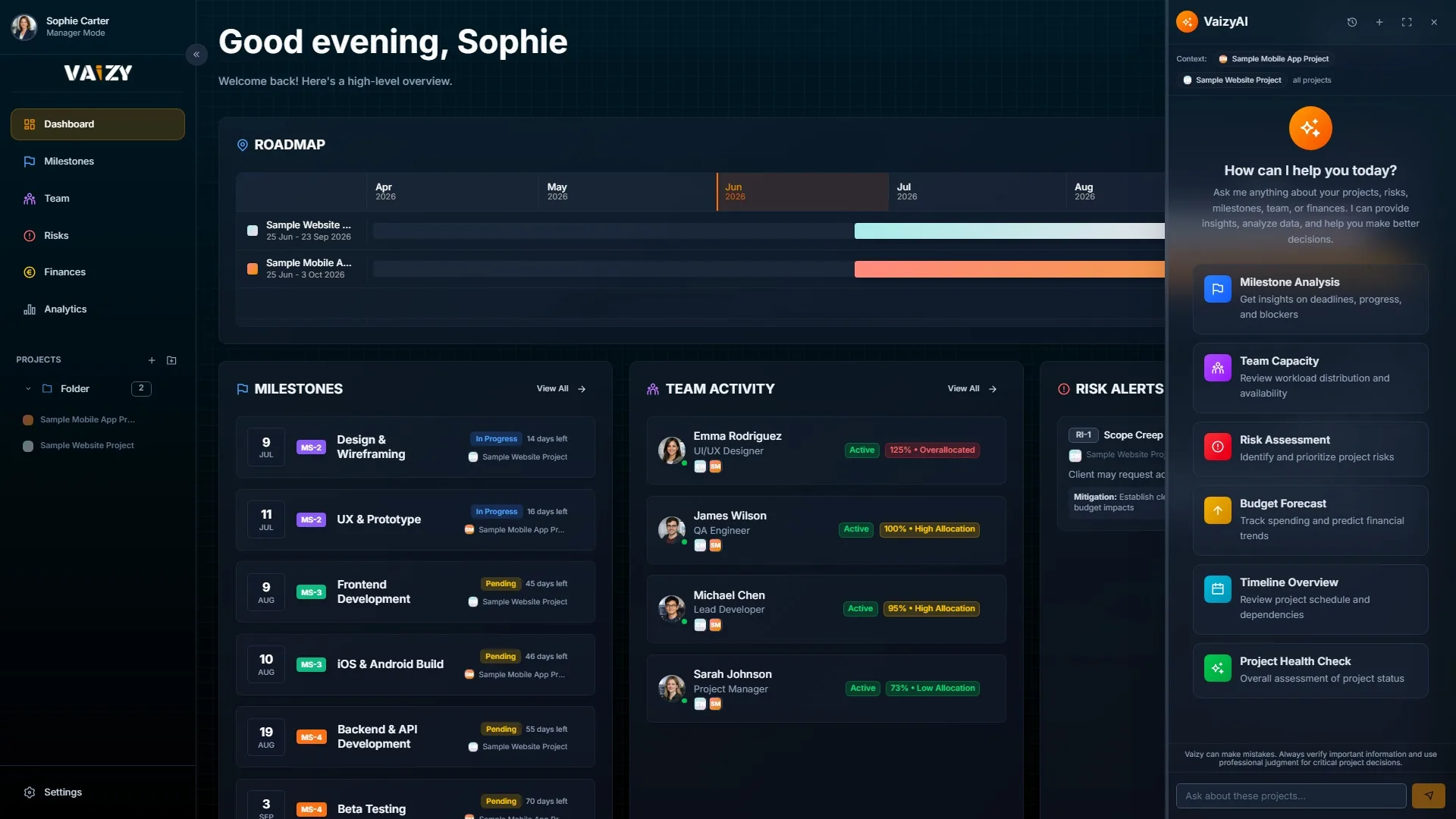
Budget, people, and risks for every project in one live portfolio view. Ask the AI anything: sensitive data is masked before it leaves Vaizy.

Sensitive data is masked before the AI sees it.
Vaizy validates, structures, and protects incoming project data before it powers automation, analysis, or executive briefings.

Structured and protected before AI touches it

Connected to
Stack projects. See what they share.
Layer live project data to see combined cash flow, overlapping people, and risks across your portfolio.


Four questions Vaizy answers before your status meeting.
How is every project doing right now?
How much has been spent, who is doing what, and what could go wrong, for every project in your portfolio.
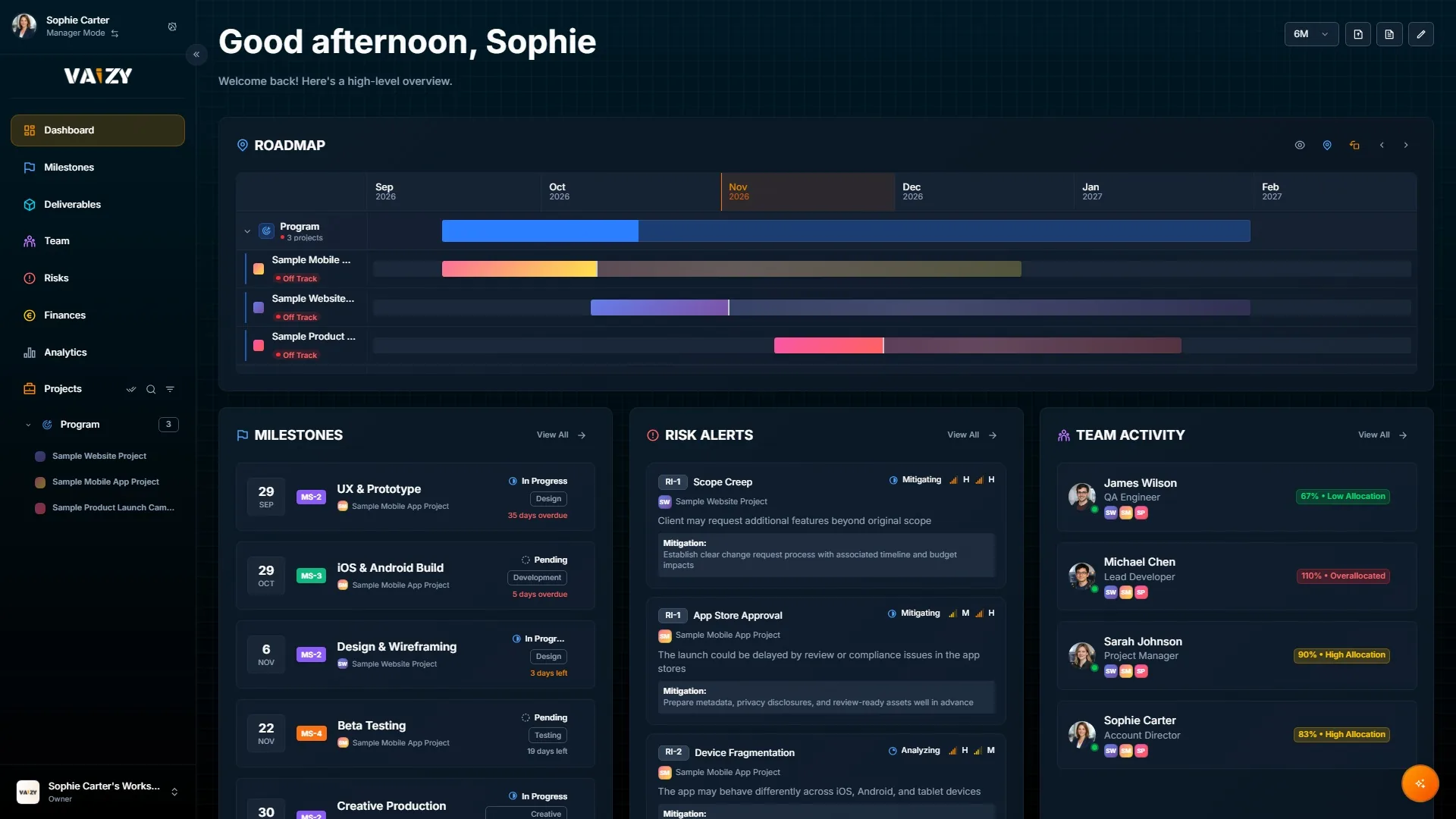
Which project is spending faster than it delivers?
Vaizy calculates automatically whether a project is spending faster than it is delivering. You see the warning weeks before it turns into a conversation you do not want to have.

Who is booked on too many projects?
When someone is working on three things at once, something will slip. Vaizy shows you that before a deadline gets missed.

Can I ask the AI without exposing client data?
Ask "which projects are over budget?" and get an answer from your real data, with sensitive details kept private.
Everything in Vaizy is connected
Add someone to a project milestone, and Vaizy creates the matching financial transaction for you automatically. Change something in one place and it updates everywhere else, so you're never working from old numbers.
Select an entity to inspect the live table view, or click the canvas to reset
From scattered tools to one clear view
- 01
Import the data you already have
Upload a spreadsheet or import an export. Vaizy keeps the links between projects, milestones, teams, risks, and budgets intact from the start.
- 02
Let Vaizy connect the signals
Vaizy brings delivery, capacity, risk, and finance into one portfolio view so you can spot what needs attention faster.
- 03
Steer from one live workspace
Use dashboards, timelines, boards, and AI summaries without rebuilding status reports every week.
Your data stays in the EU.
Vaizy is incorporated and hosted in the European Union, under Dutch law and GDPR. For compliance-conscious organisations, that is not a minor detail. It is the ground everything stands on.
The details are in our Trust Centre.
Teams already running their portfolio on Vaizy


IV’s PMO runs its IT portfolio from Vaizy, with one workspace for active projects and another for what is planned next, replacing the spreadsheets project managers used to send in separately.
IV’s PMO runs its IT portfolio from Vaizy, with one workspace for active projects and another for what is planned next, replacing the spreadsheets project managers used to send in separately.
Managers run the portfolio. Members do the work.
Managers are billed per seat on your workspace plan. Members get a focused personal workspace at a lower rate.
Member
A personal, limited workspace for each team member: roadmap, calendar, and issue tracking.
Assigned by your Manager
Essential
All core project management tools for professional teams.
14 day free trial, no card needed
Start Free TrialPro
Everything in Essential, plus AI insights, budget health analytics, plan revisions, change history, AI app connectors, and the API.
14 day free trial, no card needed
Start Free TrialEnterprise
Custom setup for larger organizations with single sign-on, automatic user provisioning, a security center, and dedicated support.
Essential, Pro, and Enterprise apply to your whole workspace. Every Manager in it is billed per seat on that same plan.
Compare all plansWhat teams ask before they switch
Those tools are great for managing work inside a single project. Vaizy helps when you need a view across multiple projects, with shared teams, budgets, risks, and timelines, without replacing the tools your teams already use.
See a full side-by-side comparisonVaizy brings milestones, deliverables, teams, budgets, risks, analytics, and AI help into one workspace. You can track plans in timeline or board views, manage team roles and weekly hours, follow cash flow and expenses, and work through risks. Vaizy AI answers questions about your live project data and makes the updates you ask for once you confirm them.
No. Vaizy is designed to complement your existing workflow. You can import data from CSV, Excel, or Microsoft Project and build from there. Your teams can keep working the way they already do while Vaizy brings the portfolio view together.
Vaizy AI reads your live workspace data to answer questions about milestones, finances, risks, team capacity, and timelines. Ask it to move a date or log a risk and it shows you the change first. Nothing is saved until you confirm, and it can only change what you could change yourself. Sensitive data is masked before anything reaches the model, then restored so the answer stays readable.
Workspace owners and admins invite team members from the Team page. Each person gets an email and only has access once they accept, and their role decides what they can view or edit. You can also share a single project with people outside your workspace. Viewing and commenting is free, and Vaizy shows the cost of a member seat before you let someone edit.
Vaizy fits project-driven firms of 10 to 200 people that run several client projects at once: consultancies, IT services firms, marketing agencies, and other professional services firms. Portfolio managers, program managers, and PMO leads see budget, margin, team, and risk for every project in one place.
See Vaizy by industryYou see how many hours each person is scheduled for across all projects, next to their available capacity. Public holidays and contract dates are taken into account, so you spot overload before a deadline slips. Select several projects at once to see how they share the same people.
See capacity planningYes. Vaizy tracks income, expenses, and budget per project, for salaried staff and contractors alike, and shows margin per client. Budget health shows whether spend is in line with progress, and combined cash flow shows the total across your portfolio.
See cross-project financialsYes. You log risks with an owner and link each one to the milestone it affects. The Portfolio Health Index and budget health give every project and the whole portfolio a clear status, and you get an alert when a project turns red or amber. The AI assistant answers questions about those numbers from your own data.
See risk managementEvery new workspace gets a 14 day free trial, no credit card required. Enterprise plans also get guided onboarding and direct contact with our team to help you get set up.