 AI Assistant
AI Project Management Assistant
Ask your project a question. Get an answer from your actual data.
The AI Assistant is built into Vaizy. Ask it anything: which milestones are at risk, how the budget is tracking, who is overloaded. It answers from your real project data, not generic advice.
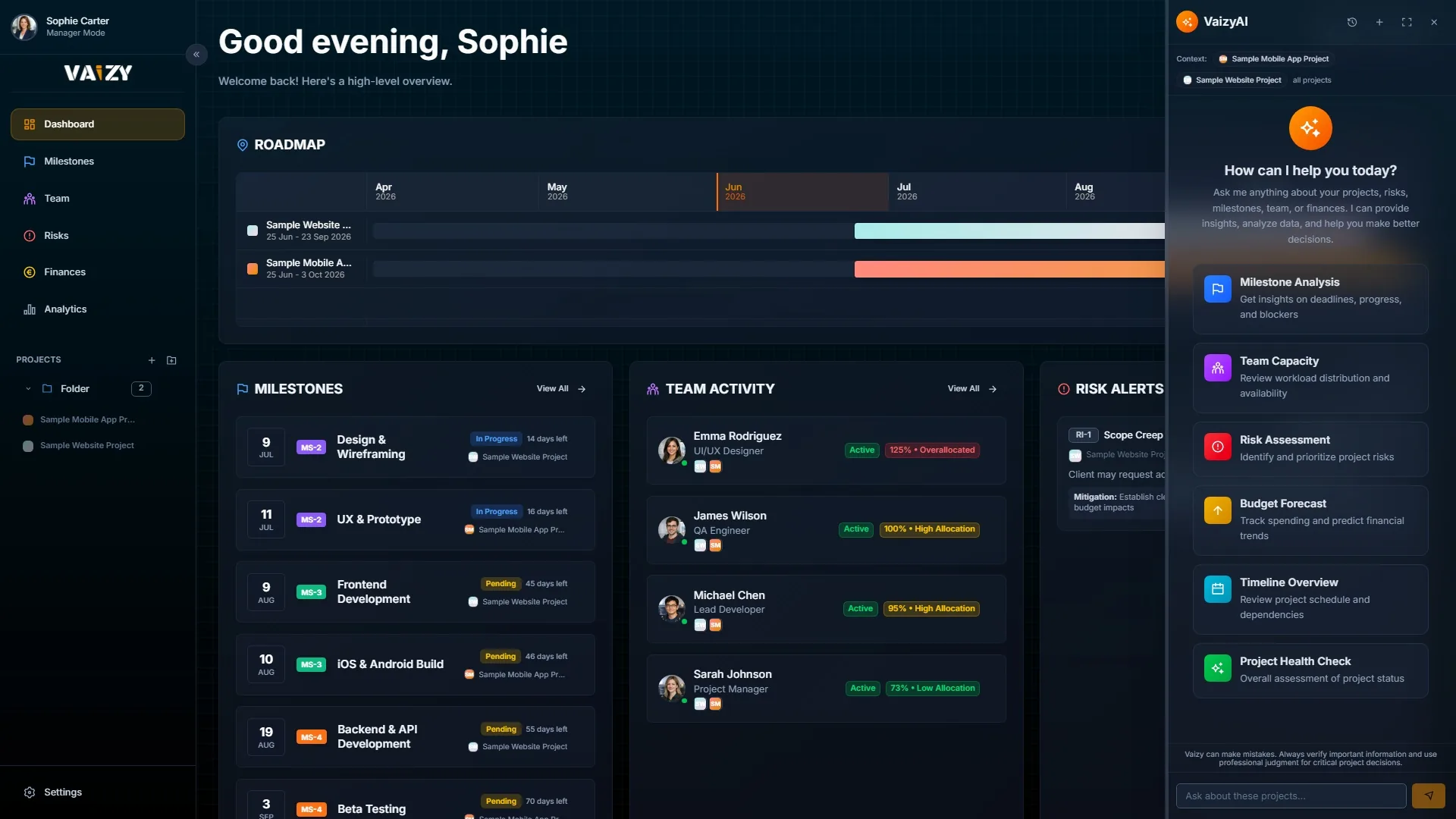
Most AI tools do not know your data. The Vaizy assistant reads your milestones, costs, and risks before it answers, and your data is protected before it ever reaches the AI model.
Answers from your data
Ask anything about your project and get an answer that mentions your actual milestone names, budget numbers, and team members. Not boilerplate guidance.
Answers about your milestones, risks, team, cash flow, and deadlines, from your real numbers.
Focus on what you need
Type @[milestones], @[budget], or @[team] to focus the assistant on a specific part of your project. Or just ask naturally and it figures out what to look at.
Focus on a specific area by typing @[budget], @[milestones], or @[team] in your question.
Privacy-first AI processing
Your project data, including client names, budgets, and team details, is protected before it ever reaches the AI model. Suitable for teams with GDPR or data residency requirements.
Sensitive fields like names and financial details are masked before your data reaches the AI model.
Privacy built in
Names and sensitive project details are protected before reaching the AI model and restored in the response. Your conversations are stored in Vaizy, not in any third-party AI system.
Your project data is protected before it reaches the AI model. Names, financial details, and credentials are handled securely.
Saved conversations
Every conversation is saved in Vaizy. Start new ones, switch between them, or delete old ones whenever you want.
Your conversation history is saved in Vaizy. Start a new thread or pick up where you left off.
Full-screen mode
Open the assistant in full screen when you need more space for a longer analysis session.
Expand to a full-screen view when you need more room to think through a complex question.
Secure access
Every request requires you to be logged in. If your account has two-step verification enabled, the assistant requires that too.
Every request requires you to be logged in, with two-step verification when your account has it enabled.
Open the AI Assistant from the sidebar on any project.
Expand to full screen if you want more room to ask follow-up questions.
Type a question like "Which milestones are running late?" or "How is the budget tracking this quarter?"
The assistant reads the relevant parts of your project data and gives you an answer grounded in your actual situation.
Project questions deserve project answers
Generic AI advice is everywhere. The Vaizy AI Assistant answers from your milestones, your team, your risks, and your budget.