 Project Templates
Project Template Software
Stop setting up the same project from scratch every time
Save your milestones, team roles, budget categories, and typical risks as a template once. The next time you start a similar project, everything is already there.
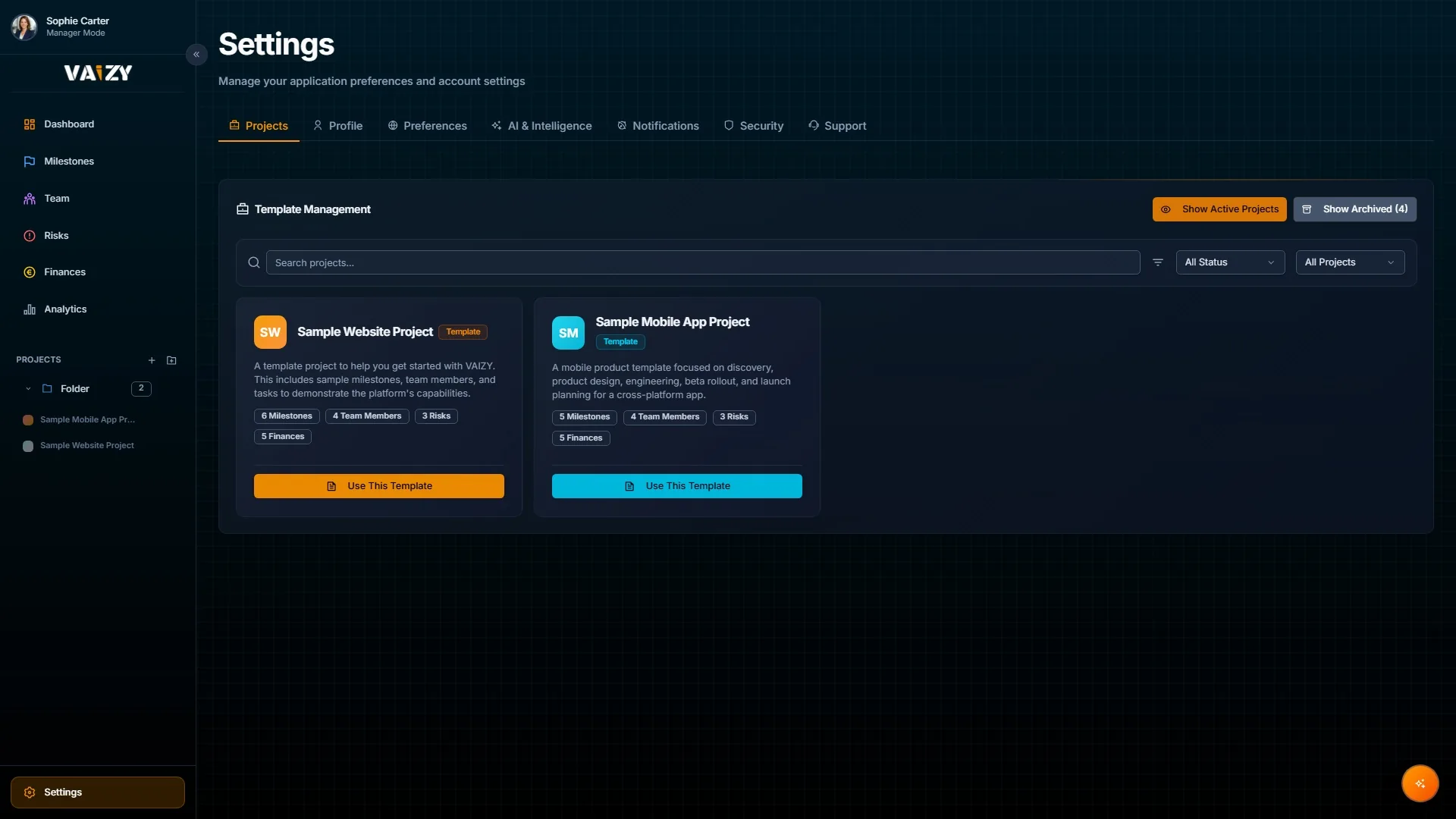
Templates save you hours of setup and make sure every new project starts consistently, no matter who creates it.
Complete project structure
Templates include milestone structure, typical durations, team roles, cost rates, budget categories, and example risks.
Start new projects with milestones, roles, and budget categories already in place.
Save from any existing project
When a project goes well, save it as a template so future projects can start from the same foundation.
Turn any existing project into a reusable template.
Project lifecycle tracking
Track each project through Planning, In Progress, On Hold, Completed, and Cancelled. Archiving keeps the history without cluttering your active view.
Kick off a new project in minutes instead of hours.
Create a new project and pick a template that matches the type of work.
Adjust the pre-filled milestones, roles, and budget for this specific project.
Run the project, and when it goes well, save it as a template for next time.
Build once. Reuse every time.
Your best project setups should not live only in someone's memory. Templates make them the starting point for every new project.