 Configurable Dashboard
Project Dashboard Software
See everything that matters, without digging for it
Pick the tiles you care about, arrange them how you like, and see live numbers the moment anything changes. No more opening six files to answer one question.
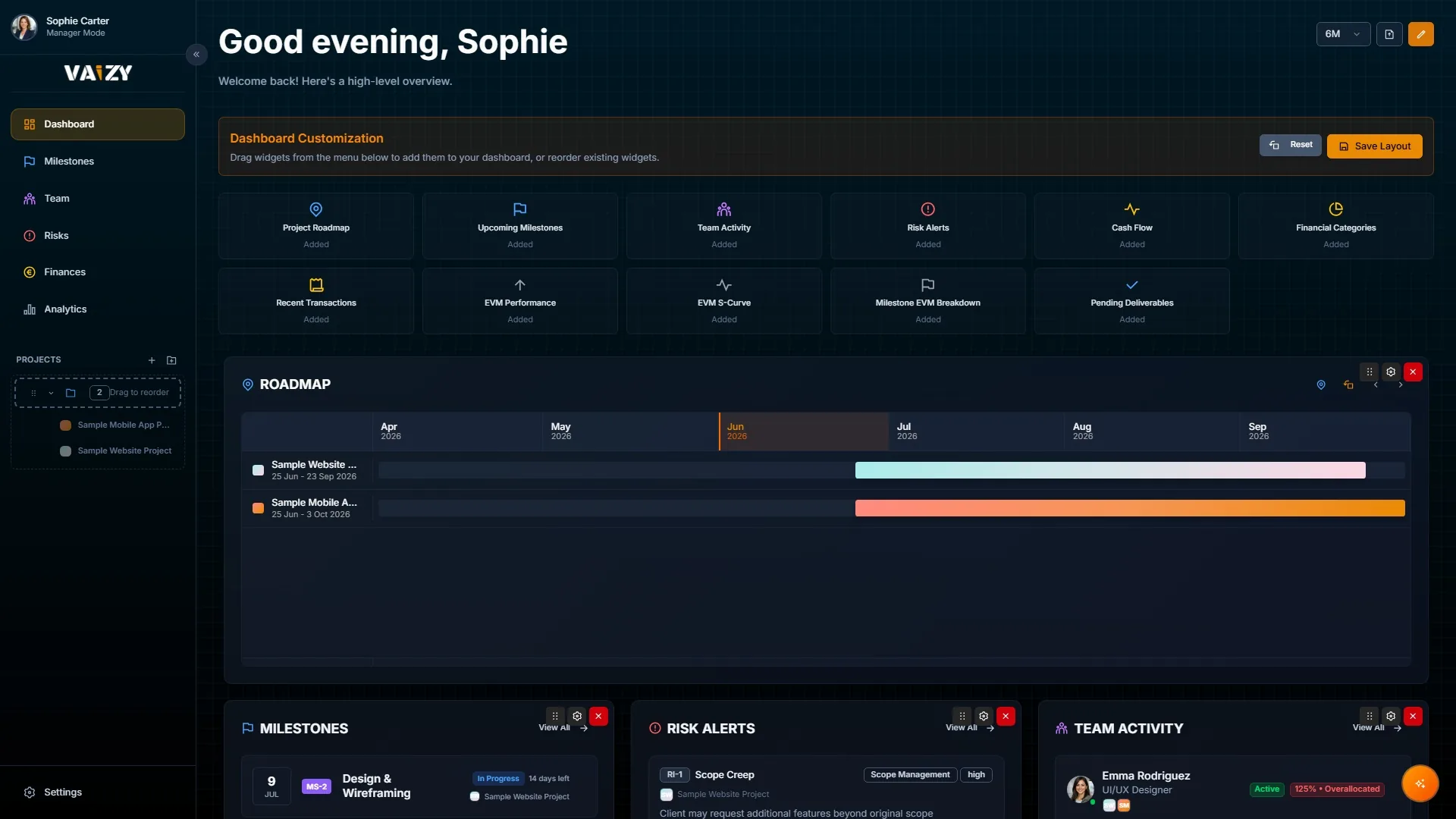
The dashboard pulls the latest data the moment anything changes. What you see is always current.
Drag-and-drop layout
Add, remove, resize, and reorder tiles. Your layout is saved so it looks the same every time you come back.
Choose from 12 tile types and arrange them however makes sense to you.
12 live tile types
Roadmap, milestones, team activity, risk alerts, cash flow, budget summary, transactions, budget health score, budget chart, budget by milestone, open tasks, and AI insights.
Filter by the last 3 months, 6 months, 1 year, or 2 years.
Time-range filtering
Switch between 3-month, 6-month, 1-year, and 2-year views to see whether things are improving or getting worse over time.
Switch between projects and the numbers update straight away.
Pick the tiles that show what matters most for your projects right now.
Resize and reorder until the layout matches how your team actually talks about project health.
Switch projects and change time ranges whenever you need a different angle.
Stop chasing numbers across spreadsheets
Your data is already in Vaizy. The dashboard puts it all in one place.